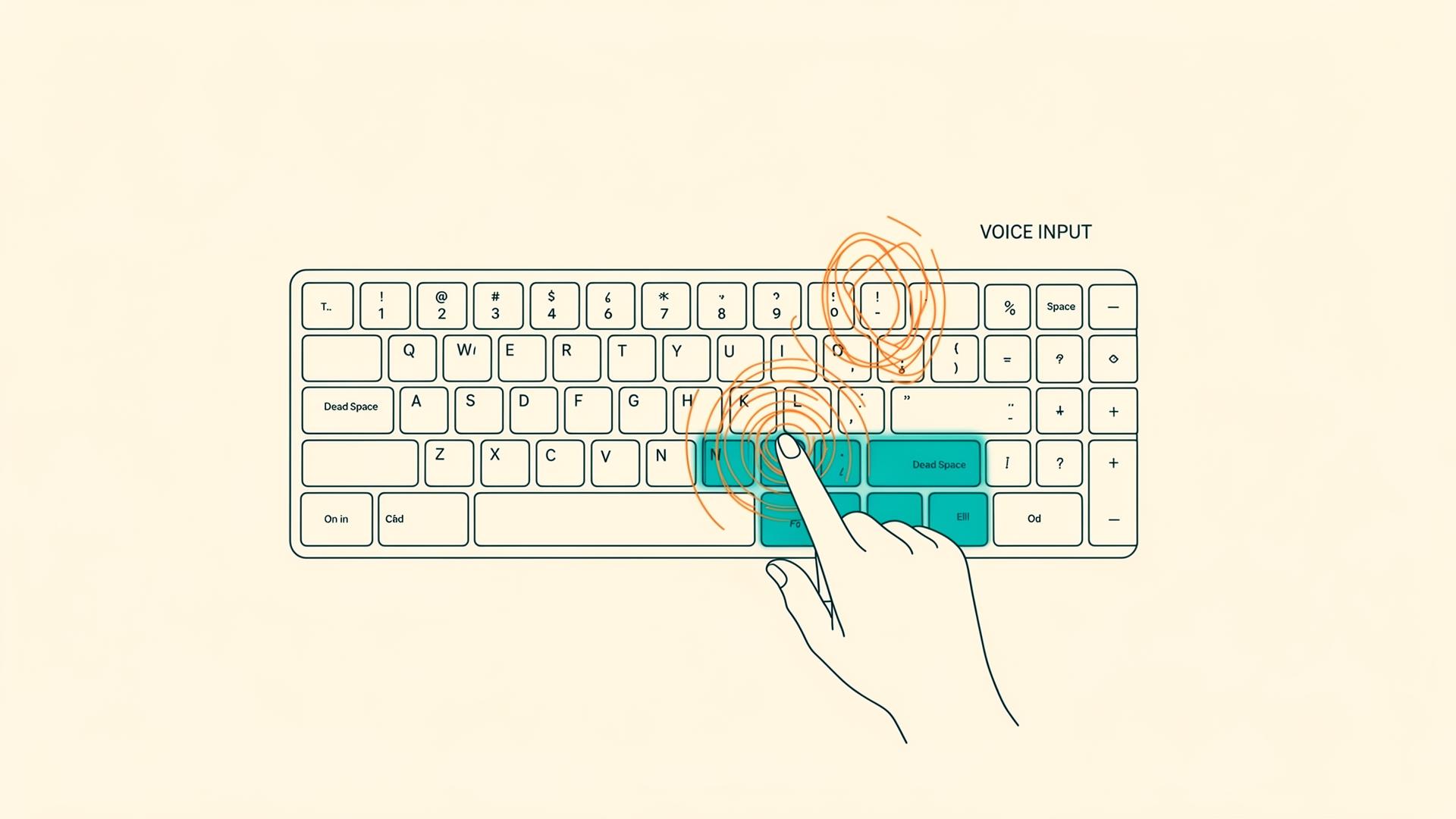
Turning Keyboard Dead Space into a Thumb-Friendly Power Key
My 5-year-old Filco Majestouch MINILA Air failed. I believe it was due to the cold wave. As I wrote in detail in another article, I was suddenly forced to replace it.
Honestly, I was sad.
MINILA had been my trusty companion for five years, supporting my daily work. It was compact, had a pleasant typing feel, and above all, it fit my hands perfectly. When it broke, I thought, "I wanted to work with it a little longer."
But what's broken is broken. After considering my options in the previous article, I chose the Realforce RC1 (45g). As I described the reasons and considerations in the previous article, I purchased it from Amazon's Smile Sale and started using it the day it arrived.
I noticed several things, so I'll jot them down here. There are countless keyboard reviews out there, but I had some unique discoveries that I wanted to document.
Typing Feel: "Smooth," Sound: Quiet
First, the typing feel. It feels smooth and sounds quiet. I appreciate that it won't disturb people around me. I bought the 45g model, and for me, it has just the right amount of resistance.
However, after 15-20 minutes of use, my left middle and ring fingers started to feel a bit tired. It might be more accurate to say "the keys started to feel heavier." Next time I buy one, I'd like to try the 30g version. It'll probably have a different typing feel, but I think once I get used to it, it won't be a problem.
Number Keys Are at a "Natural Distance"
This was a surprisingly significant point. The number keys are close and at a natural distance for touch typing.
With the previous Filco MINILA, the number keys were hard to reach, requiring me to lift my wrist slightly. But with the Realforce RC1, there's less hand movement and it's comfortable. I think the developers put considerable thought into the layout.
I felt like I was getting used to it within about 10 minutes of starting to use it. My body hasn't fully memorized it yet, but there's little discomfort.
Why I Can Press Arrow Keys "Without Looking"
This was also a major discovery. The arrow keys are positioned where I can locate them without looking.
When I was using the Filco MINILA, I think I did visually confirm the arrow keys before pressing them. But with the Realforce, I can press them naturally without looking.
Why?
At first, I thought, "Are there tactile landmarks?" But that's not it. It's probably because they fall within the natural range of hand movement.
And because they're used frequently, my body has memorized them.
I use arrow keys frequently to correct voice input conversion errors. As I'll mention later, I use voice input (Aqua Voice) in parallel, and when a conversion error occurs, I "smoothly move with arrow keys and correct it"—this has become routine. So arrow keys are surprisingly high-frequency keys.
On the other hand, I struggle with symbol keys (「」? _ etc.).
This was the same with the previous keyboard. I'm a bit unsure without visual confirmation. It was the same with the Realforce.
Why? Usage frequency is a big factor. Compared to alphabet keys, they're used less frequently, so blind typing proficiency isn't developed.
And shift operations are involved.
Symbol keys require holding shift, right? It's not just "this key is here," but rather a two-step operation: "hold this key while pressing that key." That's why finger memory becomes vague.
I think this is a common programmer issue. When writing code, we use lots of brackets and symbols, but the habit of "visually confirming before typing" persists.
By the way, with left-hand keys, I also can't press the Windows key without looking. It's a single key, but usage frequency is low.
Ultimately, usage frequency creates body memory.
Shift from "Writing" to "Editing"
I think the way we use keyboards has changed with the increase in AI-driven development.
Previously, I wrote code by hand. I typed tons of brackets, semicolons, and symbols.
But now, I type natural language prompts more often. And I edit code generated by LLMs more often.
In other words, there's a shift from "writing" to "editing."
As a result, correction and editing work with arrow keys has increased. Including voice input conversion error corrections.
This change is altering which keys are "frequently used."
Utilizing Dead Space Keys
Here's where the trial and error begins.
When I started using the Realforce, I noticed the "Henkan (conversion) key" and "Kana key" to the right of the space bar.
The Henkan key has a cycle diagram-like symbol. The Kana key is for switching to kana input.
I never use either. Complete dead space.
I convert with the space bar, and I don't use kana input. Romaji input is sufficient.
But could I utilize this dead space?
I use a voice input app called Aqua Voice. With the Filco MINILA, I assigned the right Alt as the activation trigger.
https://aquavoice.com/share?code=AI-HUVJ
However, the Realforce has no right Alt key. What to do?
But Realforce has dedicated software, and I can customize key assignments. Why not utilize the dead space keys?
https://www.realforce.co.jp/support/download/software/
Trial and Error Record
First attempt: Henkan key → Right Win, Kana key → Right Alt
Since I needed right Alt for voice input activation, I assigned it to the Kana key. I assigned the Henkan key to right Win.
But this wasn't right.
Second attempt: Henkan key → Right Alt, Kana key → Fn
Since I use voice input frequently, I thought it would be better to assign it to the Henkan key, which my thumb can press immediately.
With the Filco MINILA, the Fn keys were on both sides of the space bar and my thumb could press them. On the Realforce, it's in the lower left (left pinky position). So I tried to recreate the Filco feel by assigning it to the Kana key.
But I don't use the Fn key that often.
Final decision: Henkan key → Right Alt, Kana key → Right Alt
In the end, I assigned both to right Alt.
In other words, I can just roughly tap "around here" with my right thumb to launch Aqua Voice. I don't need to aim for precisely which key—as long as it's within thumb range, voice input launches.
This was the right answer.
Switching to voice input is all about speed. I don't need to be conscious of precise key position. Just "move thumb" and it activates.
The flow when switching from programming to voice input for thinking became incredibly smooth.
My Keystroke Patterns Revealed by Heat Map
When I open the Realforce's dedicated software, it visualizes where I've pressed keys as a heat map. This was interesting.
After about 30 minutes of use, total keystrokes: 9,173.
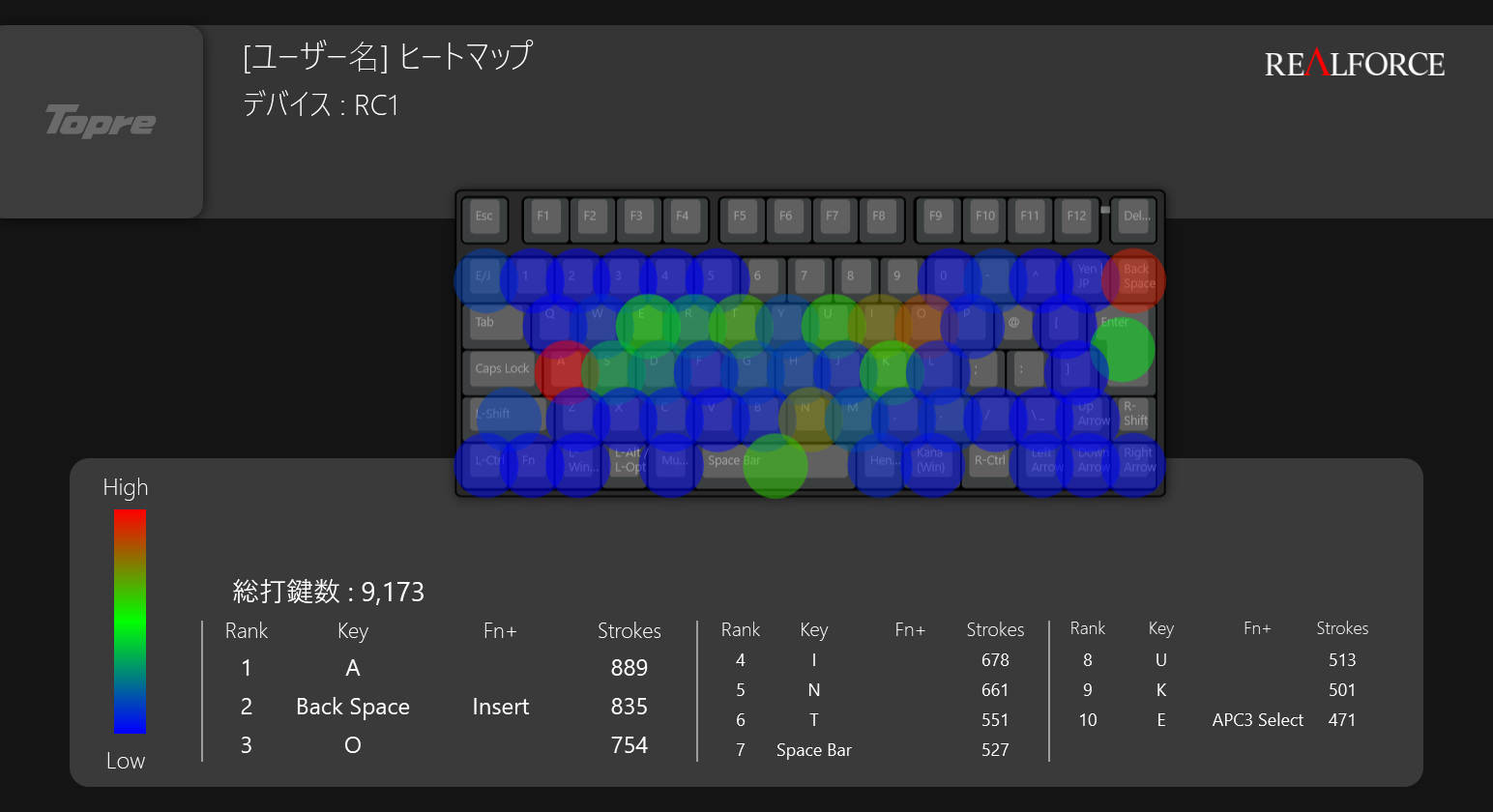
Top 10
- A (889 times) - Left pinky
- Backspace (835 times)
- O (674 times)
- I (586 times)
- Space (527 times)
- N (491 times)
- T (471 times)
- U (465 times)
- K (439 times)
- E (394 times)
What This Reveals
Left pinky's A is #1. Earlier I mentioned "left middle and ring fingers got tired," but the pinky and ring finger share tendons, so overusing the pinky fatigues the ring finger too. High-frequency keys accumulate fatigue more easily.
Backspace is #2 (9%). About 9% of total keystrokes are backspace. In other words, about 9% are correcting mistyped inputs. My typing accuracy isn't that great. But I think this is also a matter of getting used to it. It's a new keyboard, after all.
A, O, I, N, T, U, K, E are at the top. A distribution typical of Japanese romaji input. Characters like "a," "o," "i," "n," "ta," "u," "ka," "e" that appear frequently.
It would be interesting to check this heat map periodically. How will it change after a week, a month? If the backspace ratio decreases, that would be proof I'm getting used to the keyboard.
I Don't Need a Numeric Keypad
This is supplementary, but I don't need a numeric keypad.
When I started working, I had a full keyboard with a numeric keypad, but since I'm not doing accounting work, there are almost no situations where I need numeric keypad input.
Later, I switched to the Filco MINILA and was already accustomed to tenkeyless keyboard operation. So this time with the Realforce RC1, I can use it without any discomfort.
And, without a numeric keypad, the trackball is closer.
I use a trackball, and I can reach it with just a slight hand movement from the keyboard. This directly contributes to ease of work.
Can Typing Keep Up with the Pace of Thought?
Finally, something a bit abstract.
Typing feel does have an impact. Whether typing speed can keep up with the pace of thought is quite important, and the ideal is to smoothly transition between the two.
With the Realforce, my fingers naturally move to the next key, which makes it easy to use.
The Filco MINILA was also a great keyboard. It really served me well for five years. And now, I'll work together with the Realforce. Number keys, arrow keys, and the customized Henkan/Kana keys. Everything is in a natural position, and I'm looking forward to future work.
Choosing a keyboard isn't just about specs—it's about whether it fits "your hand movements" and "flow of thought." I've realized this once again.

Was this article helpful?

If this article helped you organize your thoughts
a coffee-sized support would be much appreciated.
※ This is separate from tipping, but—
If you'd like to organize similar themes in your own context, I also offer dialogue sessions as a form of thought organization.
Recommended for you